
This TubeHarvest review in one line: it's a $47 launch-price app (JVZoo, launching November 17, 2026) that turns one topic into a faceless YouTube package: a video up to 5 minutes, 3 Shorts, a thumbnail, SEO text and an opt-in page with a free PDF. The sample videos on its own sales page are stock clips with word-by-word captions. They look clean, but some clips don't match what the voice says. Good for fast, simple videos. Not the tool if you want a channel with its own personality.
We make CIAgent, a competing AI marketing team, so we're not neutral. That's why this review shows real outputs side by side instead of opinions. Every TubeHarvest screenshot comes from its own sales page or demo. There's no affiliate link in this post.
- Front end: $47 one-time during launch for 10 video packages a month (checked November 16, 2026).
- The full funnel has 4 upgrades, 4 downsells and 3 order bumps. The top path costs $451 one-time plus $47 a month.
- The videos: HD stock footage, an AI voice and captions. Fast and tidy, but generic, and some clips miss the meaning of the sentence.
- 14-day money-back guarantee, according to the sales page.
- Pick TubeHarvest for cheap, quick faceless videos. Pick something else if your channel needs a brand people remember.
Every big launch comes with the same feeling. The sales page shows a slick dashboard, a countdown and a promise: "type a topic, get a channel." Your card is already halfway out of your wallet.
So before you buy, let's look at what TubeHarvest actually makes. Not the dashboard. The videos.
What is TubeHarvest?
TubeHarvest (also written “Tube Harvest”) is a cloud app made by Max Gerstenmeyer (creator and developer), launched with Wayne Crowe as launch partner, according to its launch page. You type a topic. It writes a script, records an AI voiceover, puts stock video and captions on it, then hands you a "package":
- a long-form video (up to 5 minutes on the $47 plan)
- 3 vertical Shorts cut from it
- 1 thumbnail
- a YouTube title, description, tags and social captions
- an opt-in page with a short PDF guide, so viewers can join your email list
The idea, which the sales page calls the "Harvest Loop": YouTube brings the views, the free guide turns viewers into subscribers you can email. That part is smart. An email list is something you own.
In the demo, you pick a topic, a niche style (like Personal Finance), a voice (Thalia, Orion, Luna and more) and a length, and the package builds itself while a progress bar runs.
What do TubeHarvest videos actually look like?
The sales page shows three finished example videos from three niches: roast potatoes, tomato gardening and packing light for travel. Each runs about 4 minutes 45 seconds in 1080p. We watched all three and pulled frames.
What works: the footage is sharp, the captions are big and easy to read, and every video ends with a "Free guide, link in description" card. For a $47 tool, that's a tidy result you could upload today.
What doesn't: the visuals are stock clips matched to keywords, so sometimes the picture says something different from the voice. Here's what we saw on screen:
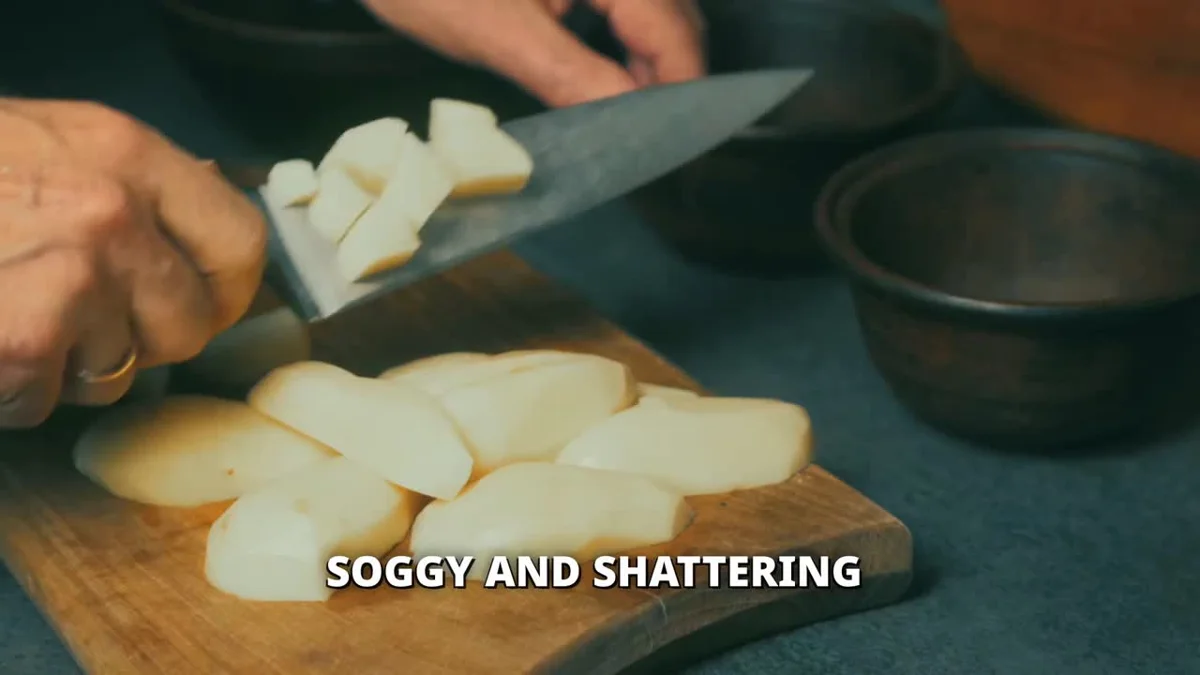



Small mismatches like these are the classic sign of keyword-matched stock footage. A viewer may not notice one. Across a 5-minute video, they add up to a channel that looks like every other faceless channel.
We couldn't test the voice ourselves, and the sales page doesn't list how many voices or languages there are. Listen to the samples on the sales page before you decide.
Why "generic" is a real risk on YouTube in 2026
Since July 15, 2025, YouTube's monetization rules call out "inauthentic content": mass-produced or repetitive videos made from templates with little variation, as Social Media Today reported when YouTube clarified the update. You can read the rules in YouTube's Partner Program policies.
TubeHarvest's own sales page mentions the risk too: it cites a January 2026 report of YouTube terminating 16 channels with 35 million subscribers. That's honest of them. It also means the look and the ideas in your videos matter more than ever. If 1,000 buyers type similar topics into the same tool, their videos will look alike.
How much does TubeHarvest really cost? (full OTO prices)
The $47 is the entry ticket. Here's the whole funnel from the launch page, checked November 16, 2026 (the vendor notes prices can still change):
| Step | Name | Price | What you get |
|---|---|---|---|
| Front end | Commercial | $47 one-time | 10 packages a month, videos up to 5 min, 3 Shorts, 1 thumbnail, client license |
| Front end (alt.) | Personal | $27 a month | 7 packages a month, videos up to 4 min, 2 Shorts, own use only |
| Order bump | Niche Harvest Vault | $9 | 100 niches with 30 topic ideas each |
| Order bump | Thumbnail & Hook Booster | $14 | 3 thumbnail versions per package, hooks and title pairs |
| Upgrade 1 | Premiere | $47 a month | 30 packages a month, 10-min videos, 5 Shorts, priority rendering |
| Downsell 1 | Plus | $27 a month | 20 packages a month, 8-min videos |
| Upgrade 2 | Harvest Growth | $47 | 5 landing page templates, bridge pages, a 5-email sequence per lead magnet |
| Upgrade 3 | DFY Channel Pack | $37 | Channel picture, banner, description, 30 topics |
| Upgrade 4 | Whitelabel Rights 300 | $297 | Your own branded version for up to 300 clients (bring your own API key) |
| Bundle | Everything | $297 | Front end plus the main upgrades, 10-min videos ($50 off coupon on the page) |
What you pay up front, by path
Source: TubeHarvest launch page, checked November 16, 2026. "Every top upgrade" = $47 + $9 + $14 + $47 + $37 + $297, plus Premiere at $47 a month.
The sales page calls Commercial "one-time", but its FAQ says the price becomes "$97/month" after November 23, 2026. A few spots on the page still show placeholders like "[Bonus #1 name]". It's launch week, so pages change. Ask support which price applies before you pay.
CIAgent vs TubeHarvest: two ways to make a video
Both tools make videos. That’s where the likeness ends.
TubeHarvest starts from a topic. It writes a script, then fills the screen with stock footage that matches the keywords, in the same niche template every buyer gets. CIAgent starts from your brand: your rules, your colors, your offer and the way you talk. Then it researches the topic, plans an original scene for every sentence and animates it. Every video sounds like you and looks like you, not like the next channel using the same tool.
So the two videos below aren’t on the same topic, and they’re not meant to be. Each one shows how its tool works on a normal day. Press play on both and compare how it feels to watch them.
On the right: 28 seconds from the packing-light sample video on TubeHarvest’s own sales page (the part with the clock and the cigarette). On the left: “The 5-second test”, a reel CIAgent made and posted on our Instagram, @ciagent29.
CIAgent VS TubeHarvest
TubeHarvest excerpt: sales-page sample video, checked November 16, 2026, shown for review. CIAgent reel: published on Instagram in November 2026.
What’s different isn’t “nicer graphics.” It’s how each picture gets chosen. TubeHarvest picks stock footage by keyword, so “a shallow pour” of water can turn into a boat. CIAgent decides what each sentence needs to show, then builds exactly that, in your brand’s look. Here’s what that looks like, frame by frame:
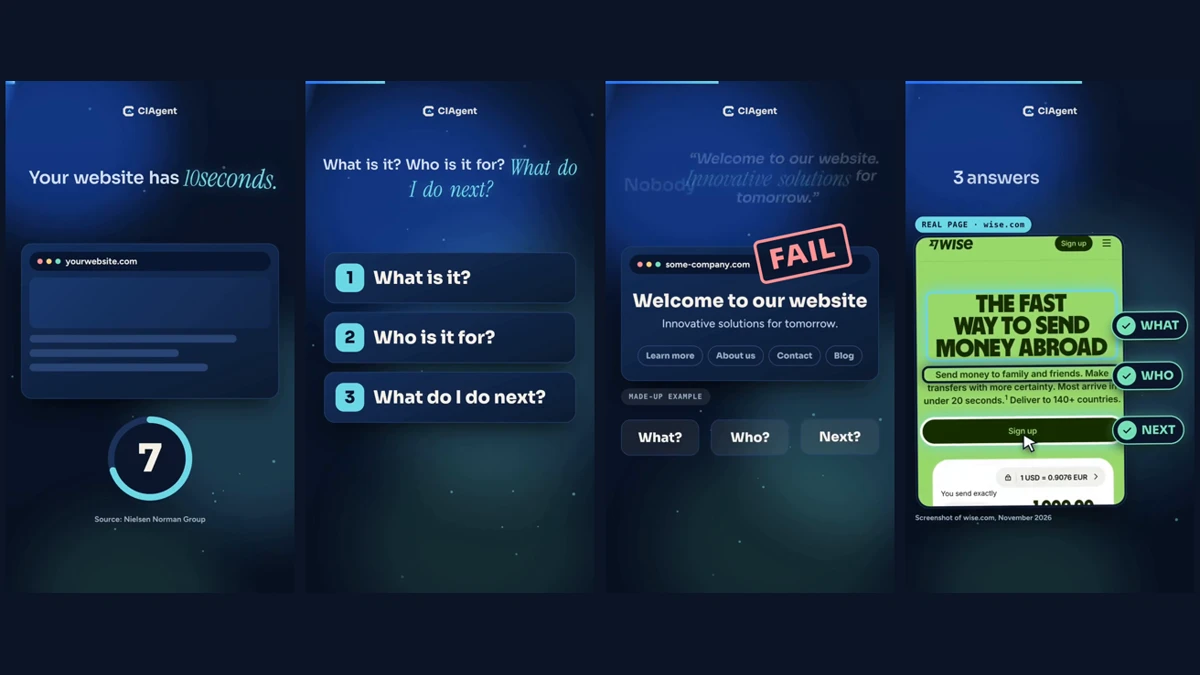
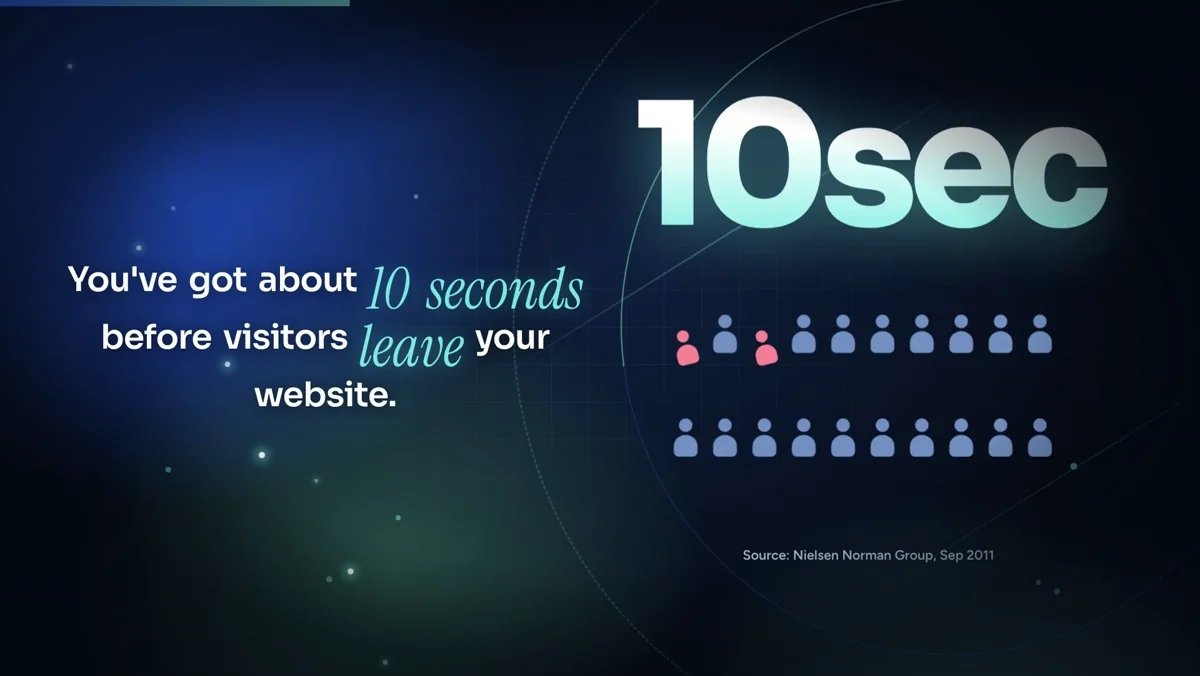
The same team also makes horizontal videos for YouTube and sales videos (VSLs), from a few seconds up to 5 minutes. Same method, wider frame: the captions sit on the left and the animated scene plays on the right.
| CIAgent | TubeHarvest | |
|---|---|---|
| Visuals | Animated scenes planned sentence by sentence | Stock clips matched by keyword |
| Real examples | Captures a real website and shows it on screen, labelled and dated | No real examples in the samples we watched |
| Facts | Researched first, source shown on screen | We didn’t see sources on screen in the samples |
| Brand | Follows your brand rules, colors and voice in every video | Niche templates shared by every buyer |
| Creativity | Original scenes written for each video | The same stock-clip style every time |
| Formats | Vertical Reels, Shorts and TikToks, plus horizontal YouTube videos and VSLs up to 5 minutes | Long-form up to 5 min (10 min on Premiere) plus Shorts |
| Around the video | Caption, sources, plus pages, emails and ads from the same team | Title, description, tags, thumbnail, opt-in page and PDF |
| Price | 3 days for $3, then a monthly plan (a 70-second video like this uses about 230 credits) | $47 at launch, upgrades up to $451 + $47/mo |
TubeHarvest is faster and cheaper per video. Type a topic, wait about 10 minutes, and you get a long video, Shorts, a thumbnail and an opt-in page with a PDF, all for a one-time launch price. CIAgent takes more time because every frame is drawn for your brand: a short reel takes about 15 to 20 minutes, and a 5-minute YouTube video takes longer. If all you need is a lot of quick stock-footage videos, TubeHarvest does that job. If the videos have to look and sound like your brand, that’s where CIAgent is built to win.
TubeHarvest pros and cons
| Pros | Cons |
|---|---|
| Cheap entry: $47 one-time at launch | Stock footage that sometimes doesn't match the voice |
| Full package in one go: video, Shorts, thumbnail, SEO text | Every buyer gets the same look, so channels blend together |
| Opt-in page and free PDF to build an email list | Voices and languages aren't listed |
| Commercial license on the $47 plan | Big funnel: the full set of upgrades costs $451 plus $47 a month |
| 14-day money-back guarantee (sales page) | Price after launch is unclear ("one-time" vs "$97/month") |
Who should buy TubeHarvest (and who shouldn't)
Buy it if you want to test faceless YouTube cheaply, you're fine with stock-footage videos, and you'll add your own ideas on top of what it writes.
Skip it if you want a channel with its own style, characters or voice, or if your videos have to sell something and need persuasion, not just information.
One more thing, from experience with launch software: a "lifetime" deal is only as long as the product's life. Before you buy any launch tool, look up the vendor's earlier products and check they're still running. The TubeHarvest pages don't list the vendors' past products.
Pick TubeHarvest if you want quick, tidy faceless videos for $47 and you're okay with a generic stock-footage look.
Pick CIAgent if you want videos (and the pages, emails and ads around them) built around your brand, with visuals that show exactly what each sentence says.
FAQ
Is TubeHarvest legit?
Yes, it's a real product sold on JVZoo with a 14-day money-back guarantee listed on its sales page. The sample videos are real and usable. The question is quality, not whether it exists.
What are the TubeHarvest OTOs?
Premiere ($47 a month), Harvest Growth ($47), DFY Channel Pack ($37) and Whitelabel ($297, or $197 or $97 versions), each with a cheaper downsell, plus two order bumps ($9 and $14). A $297 bundle includes most of them.
Is TubeHarvest worth it?
For $47, it's worth it if you need simple faceless videos fast. It's not worth the full funnel if your goal is a channel people remember, because the videos share the same stock-footage style.
Can TubeHarvest videos get monetized on YouTube?
Nobody can promise that. YouTube's Partner Program rules target mass-produced, repetitive content, so add your own ideas, examples and style to every video.
TubeHarvest vs CIAgent: which is better for faceless videos?
They answer different needs. TubeHarvest is built for volume: lots of quick stock-footage videos for a one-time launch price. CIAgent is built for brands: Reels, Shorts, TikToks and YouTube videos up to 5 minutes that follow your brand’s rules and voice, with original scenes, real examples and sources on screen. Watch the two videos side by side above and judge for yourself.
Does TubeHarvest have a refund policy?
The sales page says you can contact support within 14 days of purchase for a full refund.

Want videos that look like your brand, not a template?
Try CIAgent for 3 days for $3. Your AI marketing team writes the script, plans every scene to match what's said, and builds the page and emails around it, all in your brand voice. Cora checks every claim before you publish. You get 150 credits and 3 bonuses.
Get my first brand video planned: 3 days for $3 →
Not sure where to start? Take the free 2-minute quiz to find your #1 sales leak.
Sources
- TubeHarvest launch page (funnel, prices, dates, demo videos), checked November 16, 2026
- TubeHarvest sales page (features, example videos, guarantee, FAQ), checked November 16, 2026
- MunchEye launch listing
- YouTube Partner Program policies
- Social Media Today: YouTube clarifies its "inauthentic content" update